Everything you need to know about Amazon’s FNSKU Label, UPC Codes, and Barcode Graphics and Why you need These

Everything you need to know about Amazon’s FNSKU Label, UPC Codes, and Barcode Graphics and Why you need These
The FNSKU Label, UPC Codes, and Barcode Graphics
All of these codes and labels might be extremely perplexing. So I’ve put together a guide to help you organize your thoughts. It’s very simple once you understand it.
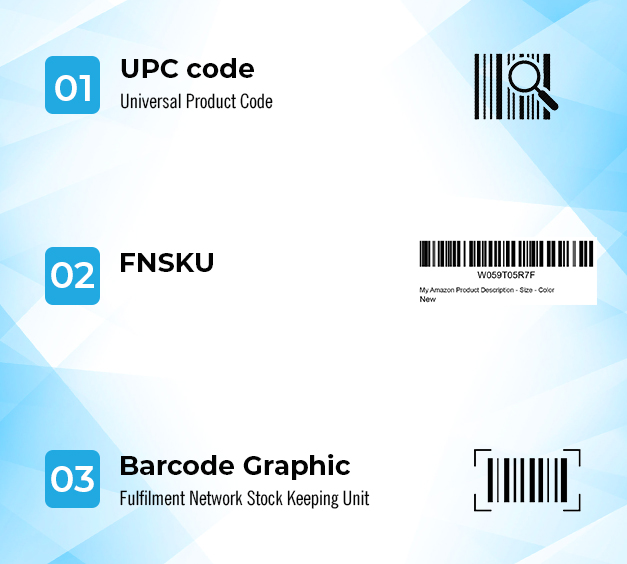
Table of Contents
Add a header to begin generating the table of contents
What are UPC Codes?
UPC CODE:
A unique code provided to each product in the Amazon marketplace is known as an Amazon UPC. It is done in order to properly distinguish the item from the millions of others already on the market. Individual products sold on Amazon around the world can be identified using UPCs.
1- Left Guard Bars
2- Number System Character
3- Manufacturer Number
4- Center Bars
5- Item Number
6- Check Digit
7- Right Guard Bars
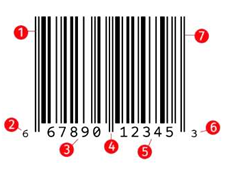
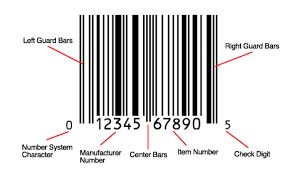
This is the lengthy number that appears on merchandise purchased at a store. It is always accompanied by a graphic, which is scanned at the store’s checkout. A UPC code costs between $5 and $10, and each product has one.
It has its own UPC code. It’s worth noting that it’s every PRODUCT, not every unit. For instance, if you sell “blue widgets,” you just need one UPC code. There are a million of them. However, if you decide to sell ‘green widgets’ as well, you’ll be in trouble. Because it’s a different product, you’ll need a new UPC code.
Barcode illustration The graphic above the UPC code is this. When you buy a UPC code, you may or may not receive the graphic as well. The visuals, on the other hand, are normally free and can be downloaded from the website.
Barcode Graphic
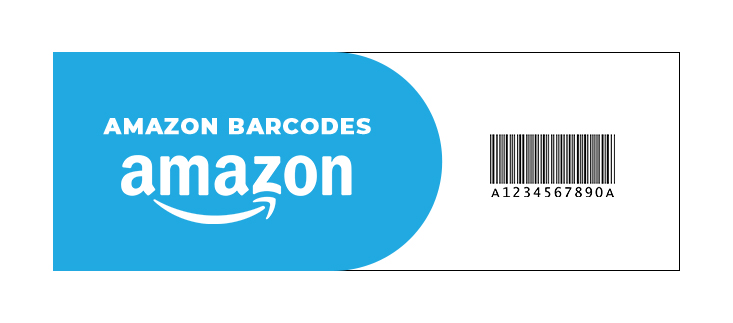

Barcode Image:
Barcode illustration the graphic above the UPC code is this. When you buy a UPC code, you may or may not receive the graphic as well. The visuals, on the other hand, are normally free and can be downloaded from the website. You bought the UPC.
FNSKU
This is the Amazon FBA identifier code. This code is not required if you do not use FBA. If you DO use FBA (which is highly recommended), every item you sell will require a FNSKU code. The FNSKU is free, but you can have Amazon apply the labels for you for a fee. A unit price of 30 cents this expense was covered in the lecture on ‘Profit Calculation.
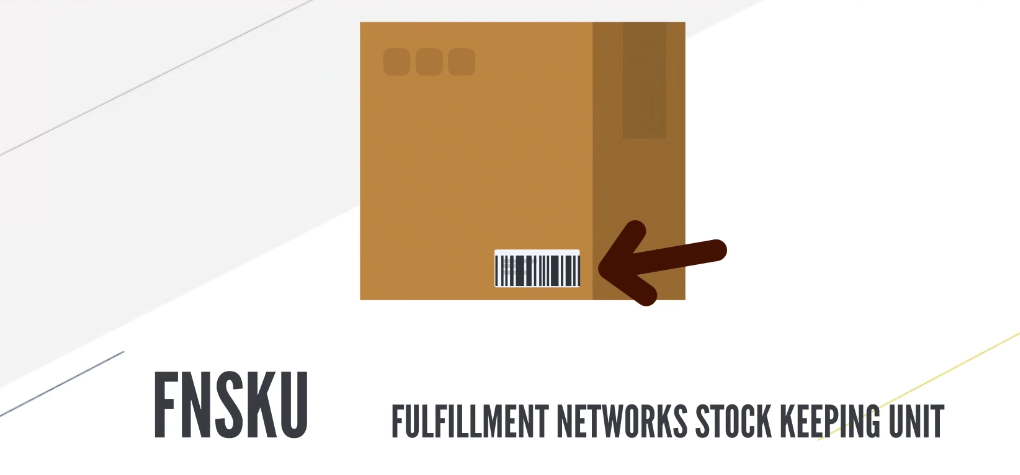
In fact, Amazon will place the FNSKU label on top of the UPC code, so you might be wondering why you need one at all. The UPC is required when creating a new Amazon listing. However, if you desire, you can save 30 cents per item by applying the FNSKU label yourself before packaging. You deliver your goods to Amazon.
To be clear, when your items arrive at the FBA warehouse, they must have either a UPC code label or a FNSKU code label on them. Your inventory will become stuck at the warehouse if they do not comply.
With one exception you can apply for a GTIN exemption, which allows you to list your goods without using a UPC. See the lesson titled ‘Getting a GTIN Exemption’ in Section 4 of the course for further information You’ll learn more about FNSKUs and how to get Amazon to affix them for you later in this course (when we come to that section). For the time being, all you need to know is what they are.
UPC Codes Can Be Purchased At The Following Locations
Although there are dozens of places where you may get UPC numbers, not all of them are genuine. A UPC code must be GS1 compliant to be authentic, which implies purchasing from a GS1 compliant UPC code reseller.
This is the one that is suggested : ezupc
What is the best way to purchase a UPC code?
The procedure is actually quite straightforward.GS1 is the greatest site to get Amazon UPC codes. This is the sole source Amazon recognizes, and they use their database to check the authenticity of each barcode. This is why GS1 is the best place to get all of your UPCs.

How to obtain the Barcode Image
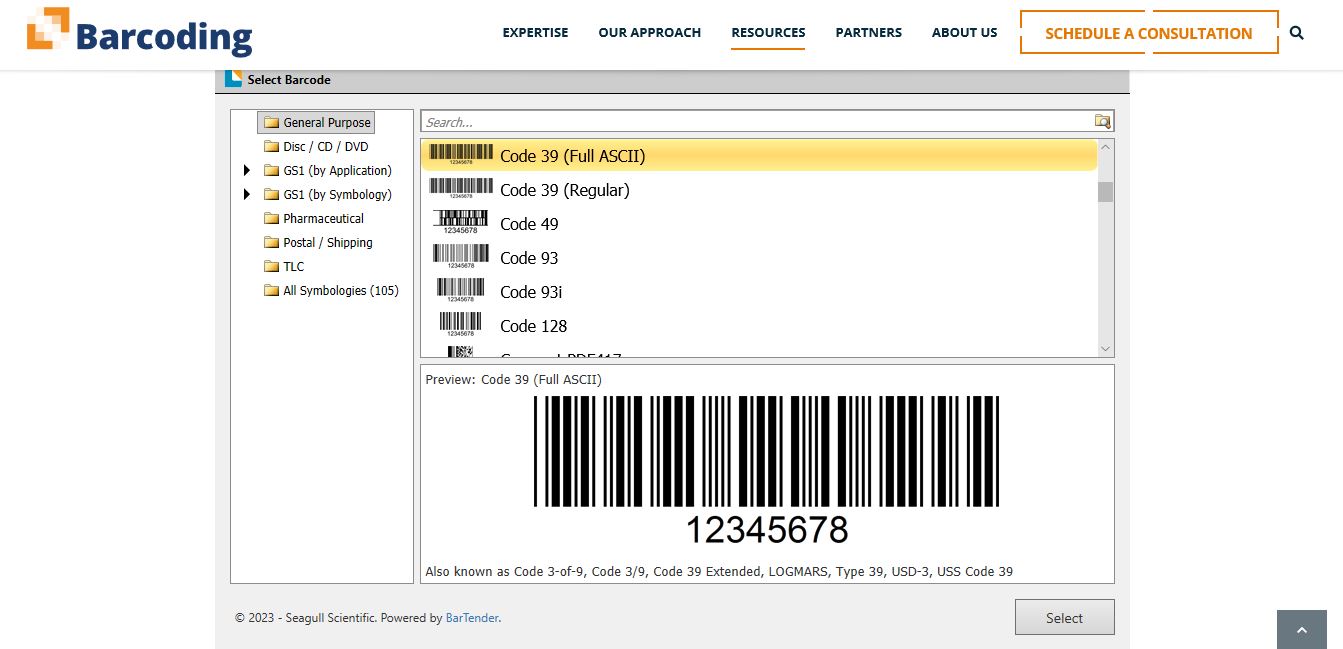
If your UPC code does not include a visual, you can create one here for free: Barcode Generator
Where can i purchase FNSKU Labels?
A Step-by-Step Guide to Getting the FNSKU Label on Amazon:
This will be proven later in the course when we get to the point of generating an Amazon product listing. Assuming you’ve already launched a product and set it up for FBA, here’s how to receive FNKSU labels for your Amazon product.
➡️ On the homepage of your Seller Central account, click Inventory in the top menu bar.

➡️ This drop-down menu is located to the right of the product listing for which the FNSKU label is desired.
➡️ Click on that drop-down menu and select Print item labels.
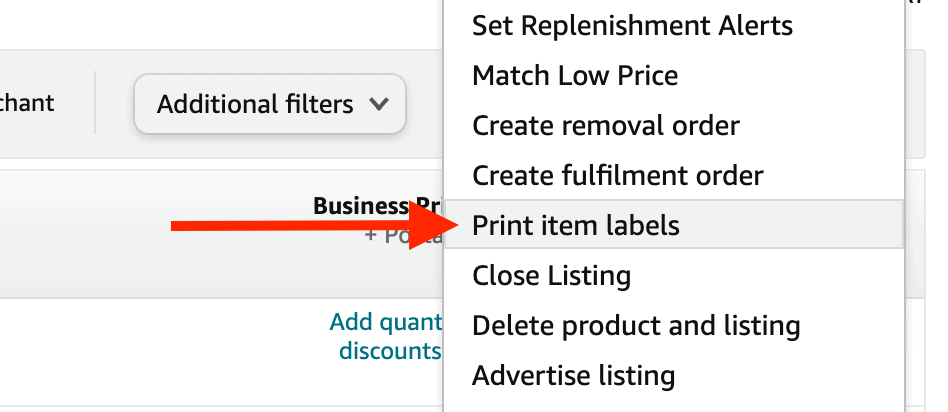
➡️ This will take you to a page where you may generate FNKSU labels for a variety of paper and sticker types. After you’ve chosen your paper/sticker type, click Print Item Labels to get a PDF copy of the FNSKU label.
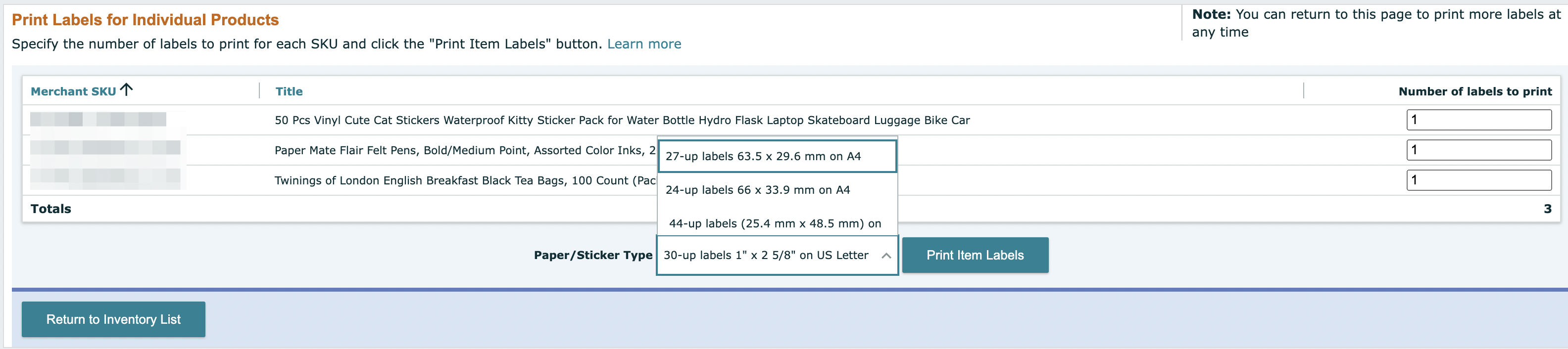
➡️ Print the label and place it on the appropriate product. Remember that once you’ve attached Amazon’s FNSKU to your product, no additional code should be visible.
So, to be completely clear, let’s summaries
Because it’s required as part of the product listing setup, you’ll need a UPC code for your goods (unless you decide to apply for a GTIN exemption Please read the red paragraph below carefully since it is extremely important, but I understand if you don’t. a slew of queries showing that students haven’t fully assimilated the material As a result, it is now marked in red.
You don’t need to attach the UPC labels to the items if you apply the FNSKU labels to them before submitting your stock to FBA. If you don’t apply the FNSKU labels yourself and instead hire someone to do it for you, You DO needs the UPC code on the package that Amazon attaches at the warehouse items.
To reiterate, when your items arrive at the FBA warehouse, they must contain either a UPC code label or a FNSKU code label. Please retain a copy of this document for future reference.
Facebook
Twitter
LinkedIn
Tumblr
WhatsApp
Reddit
Pinterest

Hamza Khalid
E-commerce Expert
As a proven e-commerce specialist, my influence is recognized in the success of multiple e-commerce businesses worldwide. My strategic thinking and hands-on approach have led to significant business growth. My comprehensive skill set encompasses strategy development, issue resolution, and developing & managing teams.
Linkedin
Facebook
Twitter
Check Our Latest Blogs

How to Promote Your Amazon Listing and Increase the Reach of Your Store
December 22, 2023
How to Promote Your Amazon Listing and Increase the Reach of Your Store…
Read More
Everything you need to know about Amazon Labeling & packaging Instructions
December 14, 2023
Everything you need to know about Amazon Labeling & packaging Instructions You have…
Read More
How to set up your Amazon Product Listing
December 11, 2023
How to set up your Amazon Product Listing Now that you have everything…
Read More

Navigating the World of Design Services on Fiverr
November 30, 2023
Navigating the World of Design Services on Fiverr How Does Fiverr Work: Fiverr,…
Read More

Generative AI at Amazon: Empowering Businesses with creativity and efficiency
November 29, 2023
Generative AI at Amazon: Empowering Businesses with creativity and efficiency Revolutionize Your Advertising…
Read More
The Benefits and Drawbacks of Local Sourcing
November 7, 2023
The Benefits and Drawbacks of Local Sourcing Local Sourcing Has Several Benefits: ⦿…
Read More