How the New Seller Central’s 7 Workspaces Improve Selling

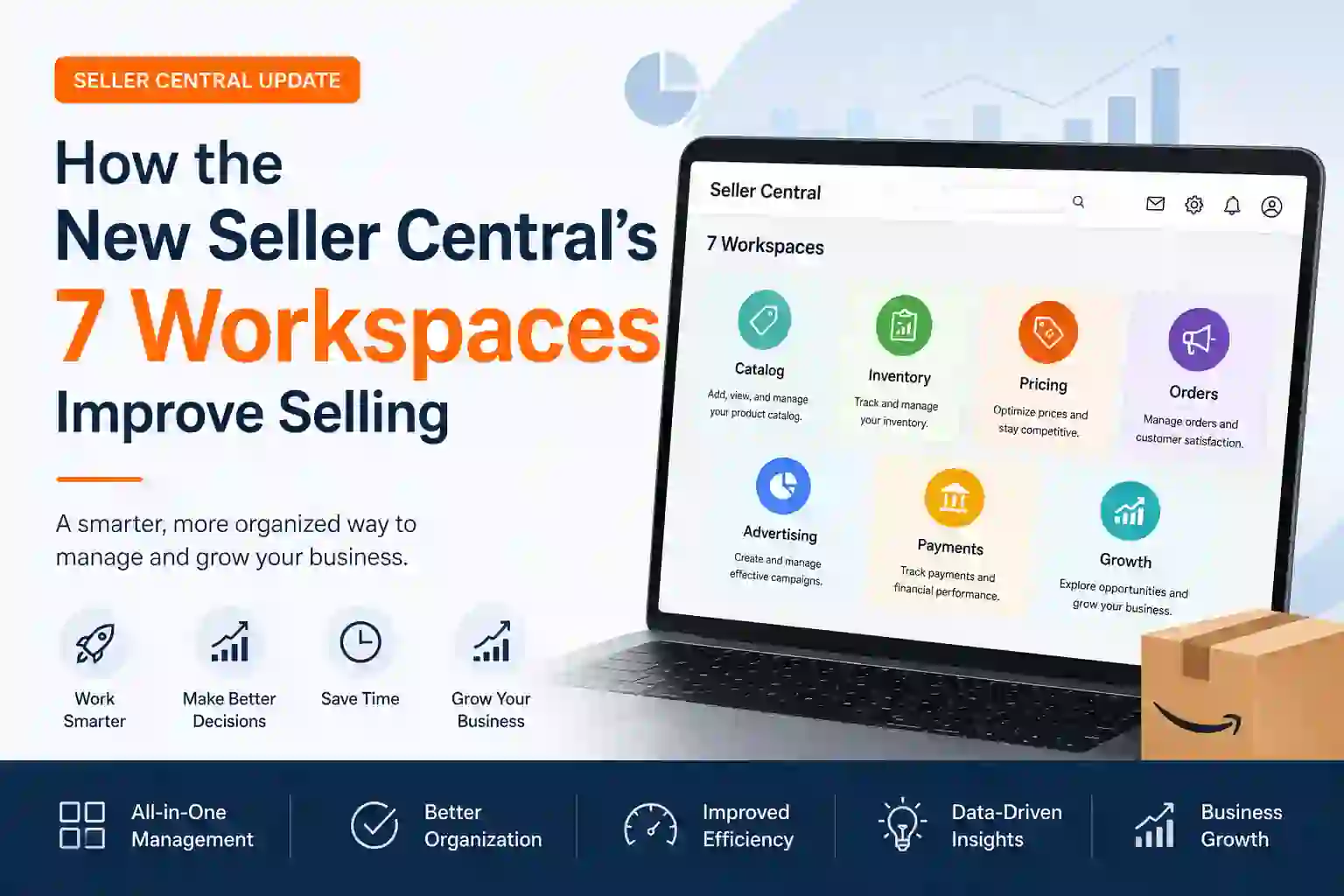
Amazon keeps improving Seller Central to help sellers run their business in an efficient manner. What we love most about the new Seller Central experience: 7 Dedicated Workspaces These dedicated workspaces focus on optimizing the day-to-day operations, making navigation easier while providing sellers a faster path to accessing tools and insights they need.
Sellers no longer hop between myriad menus and reports but instead operate within environments designed for specific business functions. With everything from inventory management to sales performance tracking to customer service and ad planning, these workspaces make it a lot easier for you to juggle all of these tasks in a more orderly way.
This story will focus on some key functions of the new Seller Central, as well as provide a step-by-step guide to each of the seven workspaces created for specific use cases.
Why Amazon Introduced Purpose-Built Workspaces
With the growth of Amazon’s marketplace, Seller Central is becoming more complex. Tools and reports the majority of sellers were looking for are scattered here and there causing inconvenience.
Amazon tackled this problem by rethinking Seller Central around the true way sellers work. The new workspace model organizes relevant tools, reports and recommendations into focused areas:
Save time
Improve productivity
Make better business decisions
Reduce operational errors
Access insights faster
Manage growth more effectively
This has resulted in a cleaner, more intuitive dashboard that assists sellers throughout their business journey.
Workspace 1: Growth Workspace
The Growth Workspace is all about growing, increasing and scaling your business.
Key Functionalities
Sales Opportunities
Amazon recognizes products and categories that show good growth potential. Sellers receive recommendations on:
Expanding product lines
Entering new categories
Increasing stock levels
Improving listings
Business Insights
Key growth metrics are shown in one place:
Revenue trends
Order volume
Conversion rates
Customer acquisition metrics
Expansion Recommendations
Amazon suggests opportunities such as:
International marketplaces
Additional fulfillment options
Brand-building initiatives
Step-by-Step Usage
Open the Growth Workspace.
Review recommended opportunities.
Analyze performance trends.
Select high-potential products.
Implement Amazon’s recommendations.
Track growth results over time.
The work space serves as a command station for business expansion.
Workspace 2: Listings Workspace
The Listings Workspace is intended to help you improve your product listing process.
Key Functionalities
Listing Creation
A simplified console for sellers to create new product listings.
Listing Quality Dashboard
The system highlights:
Missing product attributes
Poor-quality images
Incomplete descriptions
SEO opportunities
Bulk Editing
You can update recordings of large catalogs at once, saving huge amounts of time.
Product Content Optimization
The workspace provides recommendations for:
Titles
Bullet points
Keywords
Product descriptions
Step-by-Step Usage
Navigate to Listings Workspace.
Review listing health scores.
Fix incomplete information.
Optimize keywords and content.
Upload improved images.
Publish updates.
A properly managed listing will directly lead you to more visibility which leads to increased sales.
Workspace 3: Inventory Workspace
Inventory management, as you already know, is among the matters that are most important when it comes to selling on Amazon. The Inventory Workspace provides a single workspace for all inventory functions.
Key Functionalities
Inventory Monitoring
Track:
Available stock
Reserved inventory
Inbound shipments
Restock needs
Restock Recommendations
For Amazon, replenish quantities are proposed based on sales history and demand forecasting.
Excess Inventory Management
The system analyzes slow-moving products & recommends actions for that, including:
Promotions
Discounts
Inventory removals
Stockout Prevention
Alerts help sellers to know when stock will run out.
Step-by-Step Usage
Access Inventory Workspace.
Check stock levels.
Review restock alerts.
Create replenishment shipments.
Monitor inventory performance.
Address excess inventory issues.
Proper inventory management reduces storage costs and maximizes sales while minimizing the investment.
Tokenization Area 4: Orders and Fulfillment
The workspace also allows sellers to manage orders from customers and order fulfillment activities in a single cohesive space.
Key Functionalities
Order Tracking
Real Time Monitoring of All Orders.
Fulfillment Monitoring
Track:
Pending orders
Shipped orders
Delivered orders
Cancelled orders
Shipment Management
Sellers can:
Create shipping labels
Track shipments
Manage delivery timelines
Operational Performance
Key metrics include:
Late shipment rate
Order defect rate
Valid tracking rate
Step-by-Step Usage
Open Orders and Fulfillment Workspace.
Review new orders.
Process shipments promptly.
Monitor tracking updates.
Address delayed shipments.
Analyze fulfillment performance.
This workspace facilitates improved customer experience and coordinated order processing.
Workspace 5: Advertising Workspace
Advertising is an essential part of Amazon winners. Centralized campaign management tools are available through the Advertising Workspace.
Key Functionalities
Campaign Dashboard
Get a complete view of campaign performance with detailed metrics, trends, and insights across all your advertising campaigns
Performance Analytics
Track:
Impressions
Clicks
Sales
Advertising Cost of Sales (ACoS)
Return on Ad Spend (ROAS)
Campaign Recommendations
Example Optimization Suggestions from Amazon:
Bid adjustments
Keyword additions
Budget increases
Sponsored Ads Management
Manage:
Sponsored Products
Sponsored Brands
Sponsored Display campaigns
Step-by-Step Usage
Enter Advertising Workspace.
Review campaign performance.
Identify high-performing keywords.
Pause underperforming ads.
Adjust budgets and bids.
Monitor campaign improvements.
This is a workspace that helps sellers to maximize advertising profitability within the budget.
Workspace 6: Customer Experience Workspace
Customer satisfaction is the key to your long term success. Customer Experience Workspace — Improving Buyer Interaction
Key Functionalities
Customer Feedback Analysis
Monitor:
Reviews
Ratings
Buyer feedback
Return Management
Monitor returns of products and spot recurring problems
Customer Service Metrics
View:
Response times
Resolution rates
Customer satisfaction indicators
Product Improvement Insights
Amazon points out customer complaints and common worries.
Step-by-Step Usage
Open Customer Experience Workspace.
Review recent feedback.
Analyze negative reviews.
Identify product issues.
Improve listings or products.
Monitor customer satisfaction trends.
Getting the pulse of customers helps merchants enhance products and service quality.
Workspace 7: Performance and Account Health
Performance and Account Health Workspace Assists Sellers with Maintaining Compliance and Protecting Their Accounts
Key Functionalities
Account Health Monitoring
Track important metrics including:
Order Defect Rate (ODR)
Late Shipment Rate
Cancellation Rate
Policy Compliance
Performance Notifications
Receive alerts regarding:
Policy violations
Listing issues
Customer complaints
Compliance Management
Be aware of the rules and regulations set by Amazon.
Action Plan Support
In the event that issues do arise sellers could act immediately and provide submissions of a corrective action plan.
Step-by-Step Usage
Open Performance Workspace.
Review account health score.
Investigate alerts.
Correct policy violations.
Submit required documentation.
Monitor compliance status.
Good account health helps protect your selling access privileges and achieves long-term success.
More Advantages of the New Seller Central Workspaces
In addition to the seven new workspaces, the new Seller Central also has some other enhancements.
Unified Navigation
The navigation system facilitates finding key tools and reports.
Personalized Recommendations
Amazon gives personalized recommendations based on seller performance.
Improved Analytics
Understanding through advanced reporting tools assist sellers with:
Customer behavior
Sales trends
Advertising performance
Inventory efficiency
Faster Workflows
Work with tasks that are closely related is grouped together, minimizing switching back and forth to different sections.
Better Decision-Making
Immediate insights enable rapid reaction by sellers to changes in supply-demand dynamics within the marketplace.
Adapting to the New Seller Central: Tips for Sellers
With these new improvements in the platform you would want to do the following:
Explore Every Workspace
Take the time to learn what each workspace is for and how it works.
Customize Your Dashboard
Pay more attention to the most used/installed tools by using existing customization options.
Monitor Recommendations
Amazon uses AI to find opportunities for growth through recommendations.
Use Data Regularly
Analyze performance data on a weekly basis to detect trends or chances for improvement;
Train Team Members
Make sure that everyone involved in account management knows the new workflow structure.
Conclusion
Seven purpose-built workspaces, launching soon in the Amazon Seller Central platform are among the most significant advances for sellers on Amazon in years. Amazon has been able to streamline and simplify the seller experience by creating a more user-friendly platform, with tools and insights organized around specific business functions.
To give you a full sense, the Growth Workspace, Listings Workspace, Inventory Workspace, Orders and Fulfillment Workspace, Advertising Workspace and Customer Experience Workspace can work independently; however they work best in conjunction with each other to form a complete end-to-end business management solution.
Understanding these workspaces is fundamental for new sellers and experienced sellers to maximize efficiency, improve decision-making, and sustainable growth on Amazon. Sellers can now invest more time in growing their businesses instead of spending a significant amount of time trying to figure out how the new Seller Central functionalities work.
FAQs
Here are the seven work spaces underneath this new amazon seller central
New Seller Central has seven new workspaces designed to streamline sellers’ management of different parts of their business. Such as the workspaces for Growth, Listings, Inventory, Orders & Fulfillment, Advertising and Customer Experience and Performance & Account Health.
What is (and Now Why the hell What Is?) Meaning Of Amazon (Seller Central) Workspaces
Long story short, what Amazon did here is completely redesigned Seller Central to make it easier for sellers to access the tools and insights they need without having to jump back and forth between several menus and reports, basically taking the guesswork out of navigating through their interface to improve overall productivity.
How can we help sellers through Growth Workspace?
Growth Workspace contains sales opportunities, business insights, expansion recommendations and performance trends to help sellers find new ways to increase revenue and grow their Amazon business.
What can be done in the Listings Workspace?
Sellers begin to List and Edit various sections of their products, optimize their product for search via Listings Workspace. The product not only points out listing quality issues but also suggests actions to help drive visibility and conversions.
What is Inventory workspace and how does it help you manage inventory well?
With the Inventory Workspace, sellers can keep an eye on stock levels, manage inbound shipments, track restock recommendations, handle excess inventory and avoid having stockouts by getting automatic alerts.
What all will you find in the Orders and Fulfillment Workspace?
It means this workspace provides a hub for processing orders, tracking shipment, monitoring fulfillment and operational performance metrics to handle customer orders seamlessly.
What are the 6 offer types in Advertising Workspace to improve your campaign performance?
The Ad Workspace offers data on campaign performance, keyword effectiveness, budget controls and optimization tips that enable sellers to get the most out of their ad spend.
Introduction to Customer Experience Workspace
With insights to customer reviews, ratings, returns & refunds data, feedback metrics and other service stats through Customer Experience Workspace as well as its ability to be enhanced by IQ relevant integrations of third-party apps add additional attributes for buyers satisfaction and product quality.
How does Performance and Account Health Workspace secure my account?
This workspace records significant account health metrics like Order Defect Rate (ODR), order cancellations and policy compliance, late shipment rates, performance notifications which help the sellers stay in good books of Amazon.
Updated Seller Central: Will I have to learn a brand new system?
No. The layout is different, but the underlying tools are something you know. Seller Central as a whole is less confusing due to the new workspace structure, which effectively just organizes features better and makes it easier for both old and new sellers.